Tiny Planes Build Update
Freeform pavement, jet-bridge gates, painted custom structures, and how the update changed progression.
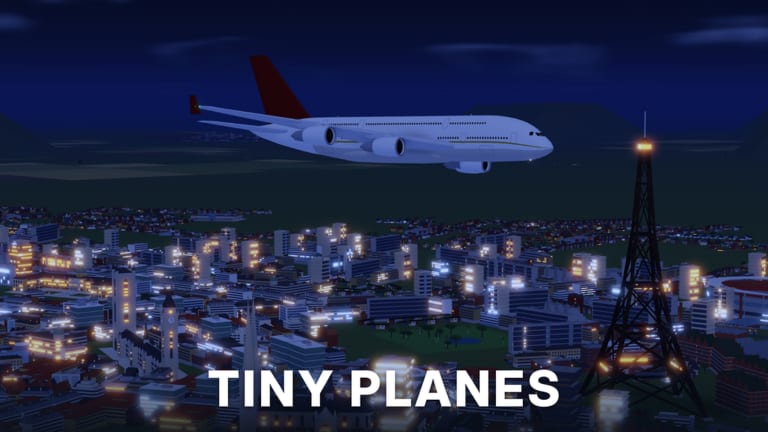
The Build Update is the live centerpiece of Tiny Planes by XeroInteractive: it turns a straight starter strip into a creative airfield sandbox without deleting the tycoon loop. You draw curved taxiways, roads, and runways at any angle, place gates with self-fitting jet bridges, assemble hangars, towers, and lights from resized, rotated, and painted parts, and gain clearer control over taxi, takeoff, and landing. This page is the deep dive; the Updates Hub summarizes patch habits, and Airport Building focuses on layout patterns that still move airplanes.
What shipped
Curved taxiways, roads, and runways at any angle
You are no longer locked to stiff cardinal grids. Draw pavement that follows shorelines, hugs terrain, and packs function into awkward island footprints. Freedom is not an excuse for scribbles—every curve should answer where the next plane goes.
Practical rules:
- Lay the runway spine first, then branch taxiways toward the terminal.
- Keep curve radii wide enough that AI taxi paths stay readable.
- Connect pavement continuously; decorative props must not break the ribbon.
- Revisit angles after gates land; a beautiful arc that misses bridge entry still fails.
Self-fitting jet bridges
Custom gates can deploy bridges that adapt to parked aircraft. Place gates where taxiways naturally end, then test with a mid-size airliner before spamming a whole concourse. Self-fitting bridges cut the old pain of “plane arrived, passenger path broken,” which matters the moment you step from regionals into narrow-bodies.
Resize, rotate, and paint custom parts
Hangars, control towers, lighting, cargo sheds, and terminal dressing use modular parts you can scale, spin, and recolor. Block out large volumes before detailing. Rotate pieces to match runway headings so the field feels intentional. Paint for readability—contrast taxi edges so you can debug traffic at a glance. Save ornate flex for after routes pay; structure spam without Cash flow stalls expansion.
Taxi, takeoff, and landing control
Build Update emphasizes control over how planes move on the ground and in the pattern. After each major geometry change, send a familiar aircraft through a full cycle before unlocking long-haul routes. If takeoff rolls clip painted props or landing exits miss the first taxi exit, fix pavement before the next shop buy.
How Build Update changed progression
Before flexible tools, many players treated the airport as a checkbox: place strip, buy plane, ignore geometry. After the update, infrastructure readiness gates fleet value. A code-funded jet without runway length or a working bridge sits idle. Mid-game guides on this wiki—especially Airliners and Cargo and How to Make Money—assume you can host what you purchase.
Progression rhythm that works now:
- Tutorial runway that actually lands (Getting Started).
- Redeem codes; spend early Cash on pavement connectivity, not trophy fuselages (Codes).
- One gate with a honest jet bridge and a solvable taxi loop.
- Dispatch with Josi / pilots while you iterate layout.
- Only then stretch into regionals, cargo, and airliners matched to island routes.
Build Update is the glue between builder fantasy and 150+ aircraft goals: without clean pavement, the fleet and rescue loops feel slower than the storefront promises.
TINYBUILD3RS — 60K Cash tie-in
Milestone and update codes often land beside big tool drops. TINYBUILD3RS is the Build Update–flavored Cash code players should redeem when active for about 60K Cash. It is smaller than headline bundles like N0TS0T1NYPLANE3 (about 5M) or T1NYPL4N3S300K (300k), but it is perfectly sized as pavement money—extend clearways, fix a broken taxi merge, or fund a first bridge gate without waiting on another route cycle.
Redeem order when multiple strings are live:
- Claim every active code via the Star UI (How to redeem).
- Bank the large piles for major runway and pilot recruitment.
- Earmark TINYBUILD3RS 60K specifically for Build Update construction tasks.
- Open Livery/Drone Cases later; cosmetics do not unstick gridlock.
Codes expire. Recheck the Codes Hub and Discord if a string fails.
Spending code Cash on pavement first
A practical spend list after any Build Update session or redeem:
- Runway length and clear approaches for the aircraft you already own.
- Taxi connectivity to at least one working gate with a jet bridge.
- Bypasses so one stopped plane does not freeze the field.
- Readable tower and edge lighting so busy or dusk sessions stay navigable.
- Pilot recruitment so dispatched routes use the new pavement.
- Aircraft slots and liveries last.
Players who decorate first and test never spend twice as long bulldozing art. Keep routes alive while you remodel—idle boards waste the update’s purpose.
Discord for notes: KNFFrBUBNn
XeroInteractive posts patch notes, tool fixes, and fresh codes on Discord invite KNFFrBUBNn. After a drawer, bridge, paint, or pathfinding hotfix:
- Skim Discord / in-game messages for broken tools.
- Re-test one full taxi → gate → takeoff → land loop on your main island.
- Redeem any new promo codes on the Codes Hub.
- Adjust layouts the patch changed (collision on resized parts, bridge fit, AI taxi).
- Return to Getting Started only if you are on a fresh account mid-tutorial.
Map each Discord bullet back to pillars: deeper building tools, richer gates/terminals, fleet/career expansion, social island play, and discovery content (barn finds). That habit tells you whether next week’s Cash belongs in pavement, pilots, or airframes.
Layout patterns that respect the update
Starter efficient hub
One primary runway, parallel or gently curved taxi to a small gate cluster, hangar off the exits, tower offset from centerline, room to extend ends later.
Growth hub
Extended or second runway when traffic demands, VIP pad for showplanes, dedicated disaster staging so emergency spawns do not clog passenger bridges, scenic roads that never cut hot taxiways.
Multiplayer-friendly field
Clear visitor strip and temporary parking spur so guests on other private islands (five-player cap) are not inventing gates on your active bridge.
Deep pattern notes and mistake lists live in Airport Building.
Common Build Update mistakes
- Curving taxiways into artwork AI cannot solve.
- Placing towers on final because height looked cool in build camera.
- Buying a narrow-body the same minute you unlock freeform tools, before length exists.
- Spending TINYBUILD3RS / code Cash entirely on cases while the only taxiway dead-ends.
- Remodeling during peak dispatch with zero temporary strip online.
Related pages
- Updates Hub — patch habits and roadmap themes
- Airport Building — operational layout guide
- How to Make Money — income loop that funds remodels
- Codes — active Cash and token strings
- Getting Started — first-session order before a full redesign
Build Update turned Tiny Planes into a true layout sandbox. Draw the field you want to fly, keep bridges honest, spend milestone Cash like TINYBUILD3RS on pavement that works, and let the four-island career grow from infrastructure that actually turns airplanes.
Frequently Asked Questions
Quick answers for Tiny Planes pilots and airport builders.
What did the Tiny Planes Build Update add?
Curved taxiways, roads, and runways at any angle; gates with self-fitting jet bridges; custom parts you can resize, rotate, and paint; plus stronger control over taxi, takeoff, and landing.
What is the TINYBUILD3RS code?
A Build Update–tied promo that grants about 60K Cash when active. Redeem it via the Star icon and spend it on pavement, gates, or other construction—not impulse cosmetics. Codes expire; verify on the Codes Hub.
Should I rebuild my whole airport immediately?
Improve the tutorial strip, but keep one working runway online while you remodel. Change one major system at a time and test a full flight cycle after each edit.
Where are Build Update patch notes posted?
XeroInteractive shares notes and codes on Discord (invite KNFFrBUBNn). Recheck this page, the Updates Hub, and the Codes Hub after major drops.
How should I spend code Cash after the Build Update?
Prioritize runway length, taxi connectivity, a working jet-bridge gate, lighting, and pilots before binge-buying airframes or opening every cosmetic case.